WIN
Windows x64
Available on the Microsoft Store for 64-bit Windows.
 LYNX ENGINE
GAME ENGINE / SCRIPTABLE / PIXEL-FIRST
Lynx is a game engine for everything from small games to massive open worlds with dynamic voxel destruction. It is built around Actors, components, levels, and lightweight JavaScript scripting powered by QuickJS. No C++ required to make a game.


YOUTUBE
Projects, development and experiments, straight from the channel.
DOWNLOAD
Install Lynx Engine from the Microsoft Store and get updates automatically.
Available on the Microsoft Store for 64-bit Windows.
THE ROAD AHEAD
Some of these are already implemented; the rest are directions we want to explore in future updates.
Visual node editors for building animations and AI behaviors, designed to work alongside JavaScript.
Tools to manage game music across expansive worlds and changing gameplay states.
A visual editor for creating and arranging in-game widgets, inspired by Unreal Engine workflows.
Choose or switch models for each task, from code assistance to image generation and other creative work.
Develop our own AI model for the closest possible integration with Lynx, its APIs, editor, and development workflows.
NO C++ REQUIRED
The engine core is written in C++, but you are never forced to write C++ yourself. Gameplay lives in JavaScript, and levels, voxels and Actors are built from the editor. C++ stays optional, for the day you want to add your own components.
LYNXIE // AI ASSISTANT
Lynxie is the AI assistant integrated directly into Lynx. It can use the engine itself as a tool: inspect and manage project files, create and edit JavaScript, modify the scene, work with terrain and voxels, compile the game, and handle the repetitive work between an idea and a playable result.
The model is selectable, so Lynxie is not tied to one provider or one model. We are also currently working on a specialized model for Lynx, trained and tuned around the engine, its APIs, editor workflows, and the way projects are actually built.
MADE FOR ANY SCALE
One level, a few Actors and a script are enough to get something playable. The editor does the rest.
Paint large voxel worlds in the editor, then fill them with Actors, audio and scripted behavior.
Voxels can be destroyed while the game runs. Each type in voxels.json defines its collision, emissive behavior and destruction rules.
THE EDITOR
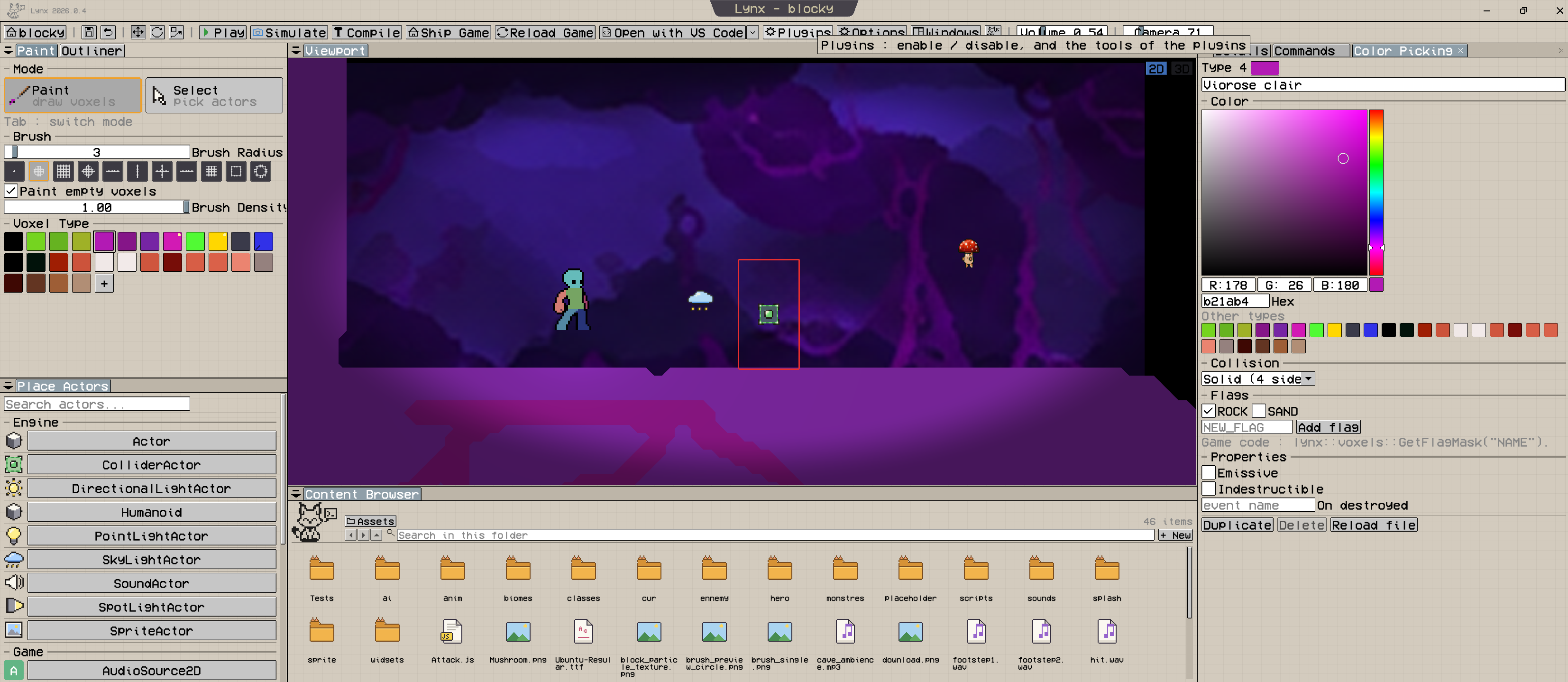
SHOWCASE
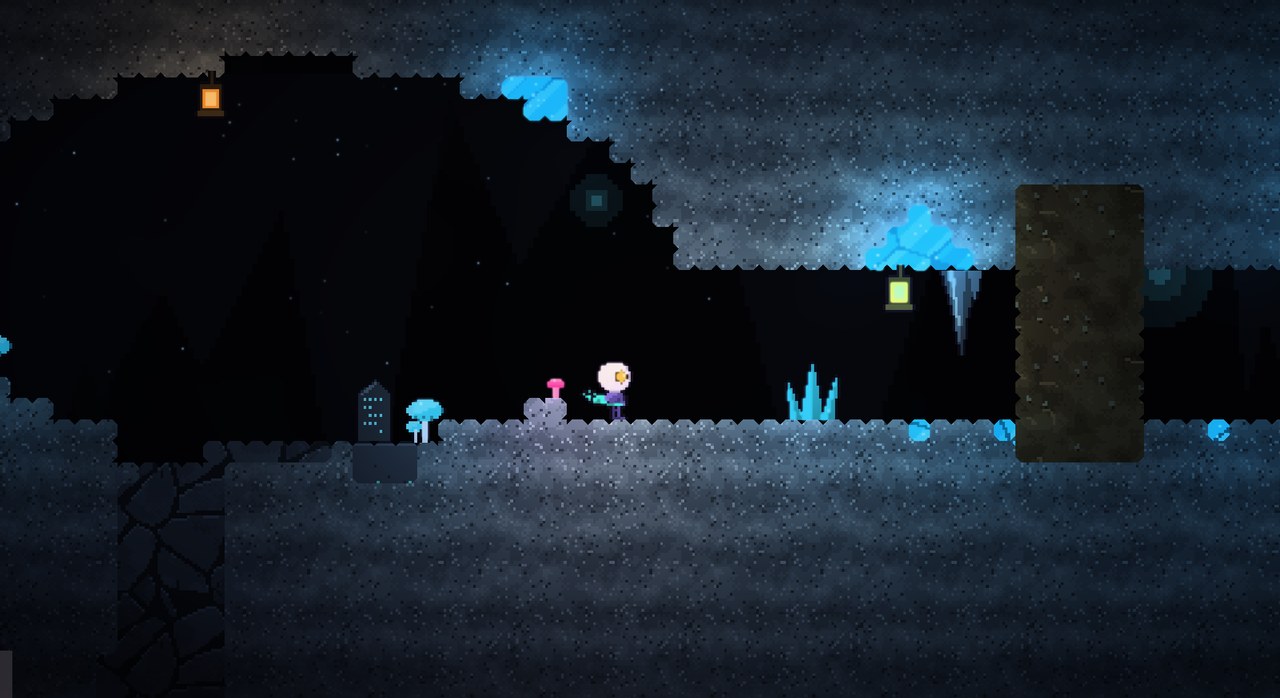
A pixel art game in the vein of Hollow Knight, where everything can be destroyed.
FEATURES
Find the tools you need in the Lynx editor, from configuring controls to managing your project.
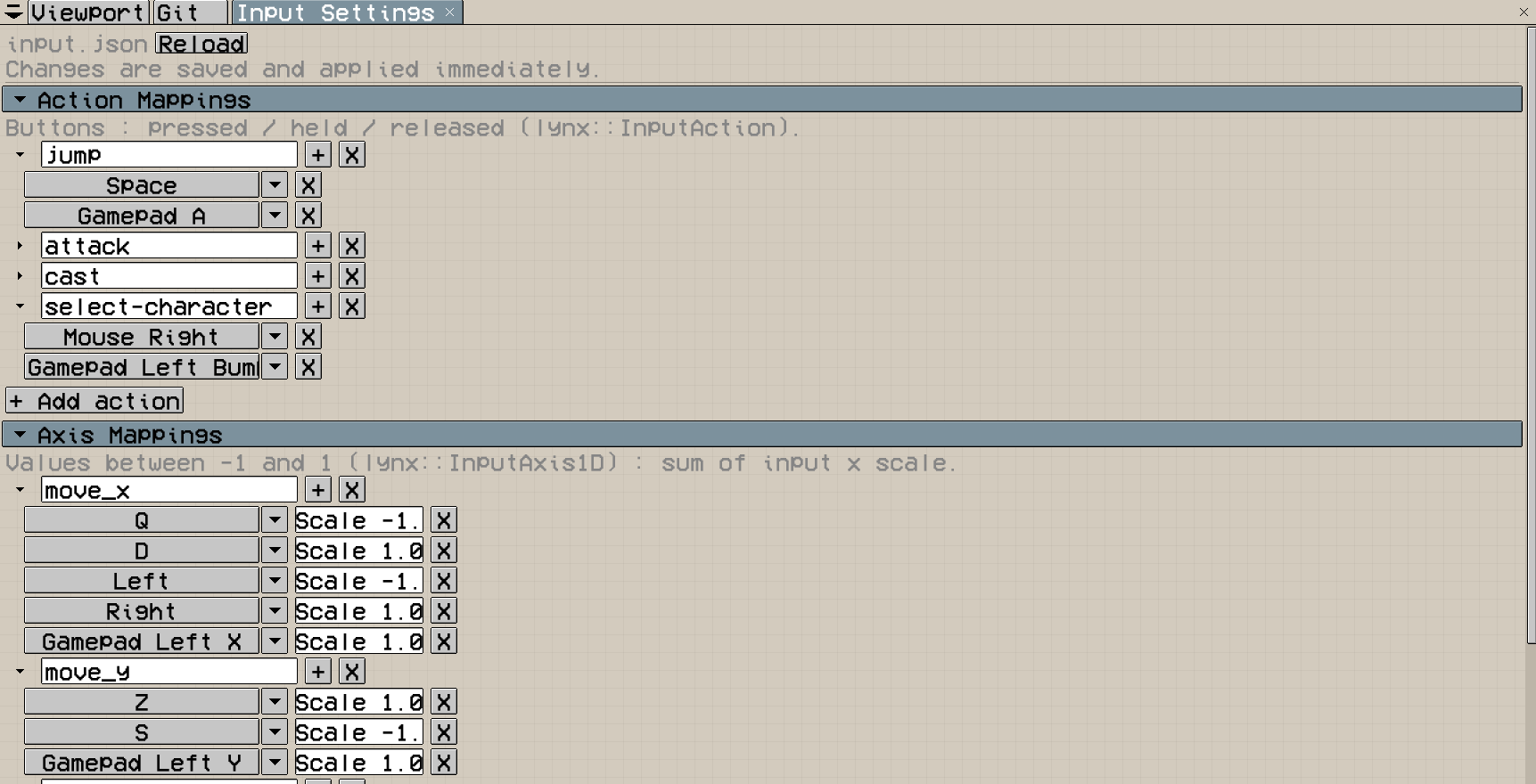
INPUT
Map actions and axes to keyboard, mouse and gamepad controls. Changes are saved and applied immediately.
Screen Editor Input
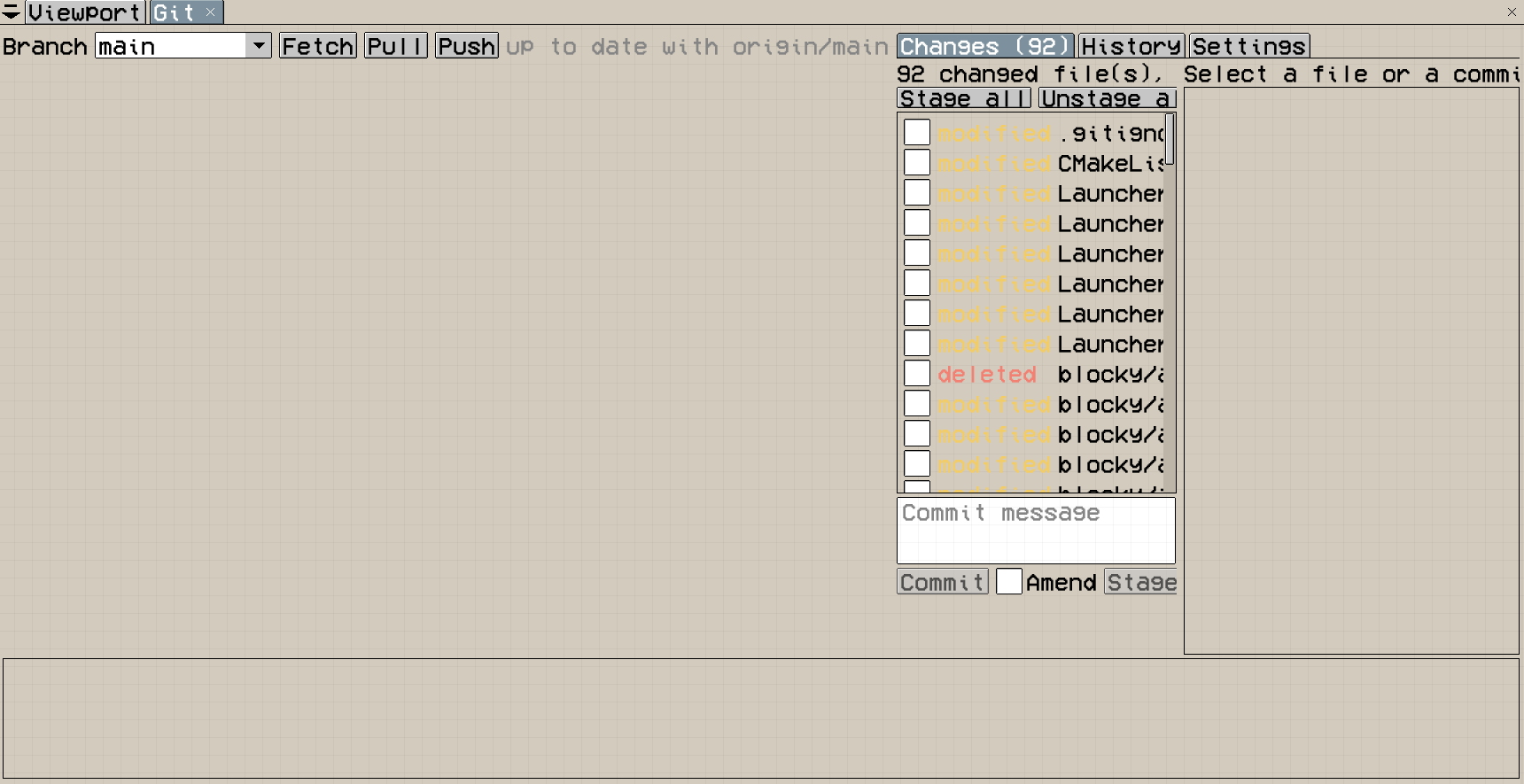
VERSION CONTROL
Work with branches and remotes, review and stage changes, commit, and browse project history from the editor.
THE ENGINE
Actor objects represent things in the world. They own a transform, an identifier, scripts, and can receive components.
The engine uses an EnTT-based ECS registry. Components have their own lifecycle and stay separate from the public engine API.
A Level contains active Actors. Spawns and destruction can be deferred while the engine is iterating safely.
Animations, blend spaces, state transitions, frame events, parameters, and triggers are available from the native C++ systems.
Audio sources can be attached to Actors, moved through the world, looped, and configured with volume, pitch, and spatialization.
Voxel types are described in voxels.json, including colors, collision flags, emissive behavior, and destruction rules.
WHY JAVASCRIPT?
The scripting layer stays deliberately small: a JavaScript file defines behavior and receives its owning Actor through the global parent.
The same file can be attached to multiple Actors. Its source is compiled once, while each attachment keeps its own execution environment and state.
// scripts/Player.js
function BeginPlay() {
  parent.position = vec3(5, 0, 0);
}

function Update(dt) {
  if (Input.held("move_x")) {
    parent.position.x +=
      Input.axis("move_x") * 5 * dt;
  }
}
AT A GLANCE
DOCUMENTATION
The JavaScript section explains the instance model, lifecycle, Actor properties, transforms, levels, input, time control, reflection, hot reload, and common gameplay patterns.
Open Complete GuideSTANDING ON
Lynx uses focused open-source libraries for rendering, ECS, scripting, audio, networking, profiling and editor tooling.
 HRL
HRL Dear ImGui